Top 10 v3.0.0 introduced Top_Ten_Query, which works as a wrapper for WP_Query. This brings all the power and flexibility of WP_Query to Top 10. If you’re not familiar with WP_Query, I recommend reading the documentation. Standard Loop get_tptn_posts() get_tptn_posts() is a wrapper to Top_Ten_Query. You can use it to retrieve an array of the popular...
The General options tab lets you configure the main options for Top 10 on your WordPress blog. Enable cache Top 10 includes an inbuilt caching system that uses the Transients API to cache the plugin’s complete output. The cache is built to complement other caching plugins and will work alongside them. Select this option to turn...
Top 10 offers various tracking methods to efficiently record post views. Each tracker type has unique benefits and considerations. The sections below explain the different types of trackers available in the Top 10 WordPress plugin to help you select the best option for your site. The plugin interface uses Custom period for what was historically...
The Counter and Tracker options is the second tab in the Top 10 settings page and allows you to tweak the counter and tracker. Counter settings Display number of views on This option lets you select where you’d like to display the views of the current post. By default Posts and Pages are enabled. If you...
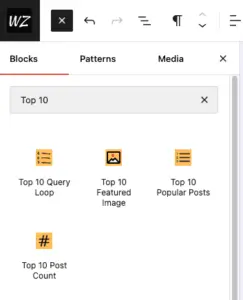
Top 10 and Top 10 Pro include multiple blocks that allow you to display the popular posts in the block editor or the site editor. The sections below explain each block and how to use it. Top 10 Pro brings an advanced Query Loop block, which allows you to display popular posts based on specified...
Top 10 detects the active multilingual plugin and returns popular posts in the language your visitor is viewing. No extra configuration is required. WPML and Polylang WPML and Polylang store each translation as a separate post. When you view a page in a translated language, Top 10 maps every popular post in the list to...
Top 10 can build its popular posts lists from the page views that Koko Analytics records. If you already run Koko Analytics, you can use one set of numbers across your analytics dashboard and your popular posts, and optionally switch off Top 10’s own tracking. Requirements Top 10 reads Koko Analytics data directly from its...
Top 10 Pro 4.6.0 adds a Feed vs web tab to the Top 10 dashboard. Use it to compare views from RSS and Atom readers with other views and identify the posts most read through feeds. Enable feed tracking Turn on Track feed views in Counter and tracker options. It is disabled by default. Top...
Top 10 Pro 4.6.0 adds Top 10 Popular Posts — Advanced. Use it to design a repeated post card with editable blocks and choose which posts appear by popularity, period, and filters. Add the block The block queries published, publicly viewable posts without passwords on the current site. Its editor preview requires REST API endpoints...
The Tools screen in Top 10 offers a set of buttons to help you maintain various features of the plugin. Database Status Displays the current state of all four Top 10 database tables along with the installed and expected database version numbers. Table Purpose wp_top_ten Running total of all-time views per post wp_top_ten_daily Hourly view...
The Features tab is the first tab on the Top 10 settings page. It lets you turn off individual features so their code does not load on your site. All features are enabled by default. A block that you disable renders as empty on the front end and shows an unavailable notice in the block...
Top 10 is free to use and packed with features right out of the box. The Pro upgrade adds high-performance tracking modes, advanced admin tools, block editor enhancements, and WP-CLI integration for those who need more control. Free vs Pro Feature Free Pro Core AJAX-based view tracking ✅ ✅ Daily and total view counts ✅...