

Top 10 can build its popular posts lists from the page views that Koko AnalyticsOpens in a new window records. If you already run Koko Analytics, you can use one set of numbers across your analytics dashboard and your popular posts, and optionally switch off Top 10’s own tracking.
Requirements
- Top 10 4.6.0 or later.
- Koko Analytics installed and active on the same site.
Top 10 reads Koko Analytics data directly from its database tables. You don’t need to change any Koko Analytics settings.
Choose a data source
Go to Top 10 → Settings → Counter/Tracker and pick an option under Data source:
| Mode | Popular posts lists | Top 10 tracking |
|---|---|---|
| Top 10 (default) | Top 10 view counts | On |
| Hybrid | Koko Analytics page views | On |
| Koko Analytics only | Koko Analytics page views | Off |
Hybrid is the safe way to try Koko Analytics data. Top 10 keeps tracking, so its post counters, admin columns and statistics stay current, and you can switch back at any time without a gap in your Top 10 data.
The setting description shows the mode in use and the detected Koko Analytics version, for example “In use: Hybrid. Koko Analytics 2.5.3 detected.” Lists are re-cached automatically when you change the mode.
What uses Koko Analytics data
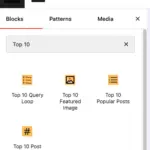
In Hybrid and Koko Analytics only modes, every popular posts list reads Koko Analytics page views. This includes the [tptn_list] shortcode, the Top 10 Popular Posts block, the legacy widget, the popular posts feed and the REST API. The view count shown next to each list item is the Koko Analytics page view count.
All your list settings still apply: post types, exclusions, categories, post age and the number of posts.
Custom periods and overall counts
Koko Analytics stores one row per post per day, so Top 10 works in whole days:
- Custom period: Top 10 computes the start and end of the range, then rounds those boundaries down to dates. With Start daily counts at midnight enabled, additional hours do not affect the start date. With that setting disabled, additional hours can move the start into an earlier day; Koko Analytics then includes that whole day.
- Overall: Top 10 adds up all the data Koko Analytics still holds. If Koko Analytics automatic data cleanup is on, the deleted data is not included.
With Start daily counts at midnight turned on (the default), a range of 7 days covers today and the 6 days before it. To compare a list with the Koko Analytics dashboard, pick the same dates:
- Koko Analytics Today matches a range of 1 day.
- Koko Analytics Last 14 days and Last 28 days include today, so they match a range of 15 and 29 days.
Koko Analytics only mode
This mode stops Top 10 from recording any views:
- The tracker script is no longer loaded and the tracker endpoints ignore requests. This covers every tracker type, including the Pro Fast and High-traffic trackers. An existing High-traffic config file is regenerated automatically when you change the mode.
- The feed tracking pixel is removed.
- The view count added to posts and feeds and the view columns in the Posts and Pages screens are hidden.
The [tptn_views] shortcode, the Top 10 Post Count block, the Overall count widget and the Top 10 statistics screens still show Top 10 counts, which stop updating in this mode.
If you use a page caching plugin, clear the page cache after switching so cached pages stop loading the Top 10 tracker.
If Koko Analytics is deactivated
Top 10 falls back to its own data. Lists use Top 10 view counts again and, if you were in Koko Analytics only mode, Top 10 resumes tracking. An admin notice tells you that Koko Analytics is selected but not active. Top 10 has no views for the time tracking was off.
Multisite
Koko Analytics keeps separate tables for each site. A list on a site reads that site’s Koko Analytics data, so activate Koko Analytics on each site where you want to use it, or network-activate it.
Network-wide lists (Pro only)
Top 10 Pro can show a single list across several sites. In Hybrid and Koko Analytics only modes, each site in the list uses its own Koko Analytics data. Sites without Koko Analytics use their Top 10 counts.
Check which data a list uses
- Settings: the Data source description shows the mode in use.
- Page source: lists from the shortcode, the Top 10 Popular Posts block and the legacy widget carry a
data-tptn-sourceattribute on their wrapper, set tokokoortop10. - Query Monitor: the popular posts query joins the
koko_analytics_post_statstable when Koko Analytics data is used. See Debugging with Query Monitor.
For developers
The tptn_query_use_koko_analytics filter decides whether a query reads Koko Analytics data. It receives the current decision and the query arguments.
 Trackers in Top 10 – WordPress Popular Posts plugin
 Blocks in Top 10
