

Top 10 detects the active multilingual plugin and returns popular posts in the language your visitor is viewing. No extra configuration is required.
WPML and Polylang
WPML and Polylang store each translation as a separate post. When you view a page in a translated language, Top 10 maps every popular post in the list to its translation for that language before the list is rendered.
- On WPML sites, Top 10 resolves the translated ID with the
wpml_object_idfilter, using the current language fromwpml_current_language. If a translation is missing, the post is skipped unless thetptn_wpml_return_originalfilter returnstrue. - On Polylang sites, Top 10 resolves the translated ID with the
pll_get_post()function.
To show the original post when a translation is missing on WPML, add this snippet to a code snippets plugin or your theme’s functions.php:
For Pro lists across network sites, Top 10 resolves translations on each post’s source site. Cached network results preserve the site ID as well as the post ID, so posts with the same ID on different sites remain distinct.
TranslatePress
TranslatePress does not create separate posts; it translates strings on the page. Top 10 therefore translates the popular post titles, excerpts, and links instead of swapping post IDs.
Top 10 detects TranslatePress with is_translatepress_active(), which checks for the trp_translate function and the TRP_Translate_Press class. It reads the active language from the $TRP_LANGUAGE global through get_trp_current_language(); that method returns an empty string when the request is in the default language.
On the front end, the popular posts list is translated with the rest of the page. For REST API responses, Top 10 hooks rest_pre_echo_response through translate_rest_response(). TranslatePress’s own output buffer does not run for REST requests, so this step translates the titles, excerpts, content, and links in the response before it is sent.
Language-isolated caching
Cached lists differ per language, so Top 10 adds the current language to every cache key. Language_Handler::get_cache_language() resolves the language from TranslatePress, then Polylang with pll_current_language( 'locale' ), then WPML with wpml_current_language.
The key is built in includes/util/class-cache.php as tptn_cache_ followed by an MD5 hash of the language and normalized query arguments. Arguments that do not affect query results are excluded. The arguments also include the effective data mode and cache generation values, so changing the source or tracked data invalidates old results. On a monolingual site the language component is empty.
Use the tptn_cache_language filter to change or supply the language component. The snippet below covers a custom language plugin that Top 10 does not detect on its own:
The REST API lang parameter
The popular posts REST endpoints accept an optional lang parameter that selects the TranslatePress language for the response. It accepts a TranslatePress locale such as fr_FR or a URL slug such as fr:
When the parameter is omitted, Top 10 resolves the language from the referring front-end URL. The parameter is transport-only: Top 10 removes it before running the query, so it does not change which posts are returned or enter the cache key.
To override the resolved language for REST requests, use the tptn_trp_rest_language filter.
Lazy loading (Pro only)
Lazy-loaded lists render over REST, and REST URLs carry no language prefix. When the placeholder is generated, Top 10 Pro captures the current TranslatePress language with get_trp_current_language() and stores it in a data-tptn-lang attribute. The loader sends that value back with the REST request, so the rendered HTML matches the page language.
WPML and Polylang sites do not need the flag: the post IDs are resolved server-side when the lazy-loaded list is rendered.
 Trackers in Top 10 – WordPress Popular Posts plugin
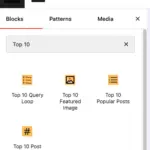 Blocks in Top 10
 Use Koko Analytics as the data source for Top 10