

Top 10 is free to use and packed with features right out of the box. The Pro upgrade adds high-performance tracking modes, advanced admin tools, block editor enhancements, and WP-CLI integration for those who need more control.
Free vs Pro
| Feature | Free | Pro |
|---|---|---|
| Core | ||
| AJAX-based view tracking | ✅ | ✅ |
| Daily and total view counts | ✅ | ✅ |
| Display view count on posts | ✅ | ✅ |
| Popular posts widgets | ✅ | ✅ |
Shortcodes [tptn_list] and [tptn_views] | ✅ | ✅ |
| Gutenberg blocks (Popular Posts, Post Count) | ✅ | ✅ |
| Thumbnail support with fallback logic | ✅ | ✅ |
| Post and category exclusions | ✅ | ✅ |
| Custom post type support | ✅ | ✅ |
| Multilingual support (WPML, Polylang and TranslatePress) | ✅ | ✅ |
| REST API | ✅ | ✅ |
| Popular posts RSS feed | ✅ | ✅ |
| Export / import counts and settings | ✅ | ✅ |
| Tracking & Performance | ||
| Standard AJAX tracker | ✅ | ✅ |
| Buffered visit tracking (funnel table) | ✅ | ✅ |
| Koko Analytics as the data source | ✅ | ✅ |
| Fast tracker (lightweight PHP endpoint) | ❌ | ✅ |
| High-traffic tracker (zero WordPress load) | ❌ | ✅ |
| RSS / Atom feed view counting | ❌ | ✅ |
MySQL MAX_EXECUTION_TIME query guard | ❌ | ✅ |
| Configurable data retention period | ❌ | ✅ |
| Site-wide tracking (front page, archives, search) | ❌ | ✅ |
| Reduce Daily Table Size tool (admin + WP-CLI) | ❌ | ✅ |
| Display & Blocks | ||
| Advanced Popular Posts block (editable cards, 6 layouts) | ❌ | ✅ |
| Pro Query Loop block | ❌ | ✅ |
| Enhanced Featured Image block | ❌ | ✅ |
| Popular Posts Pro block (save/restore defaults) | ❌ | ✅ |
| Pre-built block patterns (6 layouts) | ❌ | ✅ |
| Grid Thumbs display style | ❌ | ✅ |
| Lazy load popular posts lists | ❌ | ✅ |
| RSS feed filtering by category or post type | ❌ | ✅ |
| Restrict popular posts to specific taxonomy terms | ❌ | ✅ |
| Per-post category inclusion (metabox) | ❌ | ✅ |
| Exclude nested/parent categories when excluding a term | ❌ | ✅ |
| Page builder elements (Elementor, Bricks, WPBakery) | ❌ | ✅ |
| Popular Authors blocks, shortcodes, and widgets | ❌ | ✅ |
| Admin & Dashboard | ||
| Statistics dashboard (daily and total) | ✅ | ✅ |
| Admin columns with view counts | ✅ | ✅ |
| Settings wizard | ✅ | ✅ |
| Per-post metabox | ✅ | ✅ |
| Admin bar menu (daily, total, and overall counts) | ❌ | ✅ |
| Option to disable admin bar menu | ❌ | ✅ |
| Mini “Views Overview” dashboard widget | ❌ | ✅ |
| Feed vs web views dashboard report | ❌ | ✅ |
| Dashboard access control by user role | ❌ | ✅ |
| Choose which post types show admin columns | ❌ | ✅ |
| Sortable admin columns on custom post types | ❌ | ✅ |
| Multisite | ||
| Network-wide aggregated statistics dashboard | ✅ | ✅ |
| Popular posts lists across network sites | ❌ | ✅ |
| Koko Analytics data in network-wide lists | ❌ | ✅ |
| Copy settings between multisite sites | ❌ | ✅ |
| Developer Tools | ||
| Abilities API: popular posts and view counts (WordPress 6.9+) | ✅ | ✅ |
| Abilities API: count editing and cache clearing | ❌ | ✅ |
| WP-CLI commands (counts, DB, cache, settings, cron, popular, status) | ❌ | ✅ |
| Support | ||
| Community forum | ✅ | ✅ |
| Priority email support | ❌ | ✅ |
Choosing the Right Plan
All paid plans include the same Pro features. The difference is the number of sites and who you can use them on.
| Pro | Pro Multi | Agency | |
|---|---|---|---|
| All Pro features | ✅ | ✅ | ✅ |
| Number of sites | 1 site | 5 to unlimited | Unlimited |
| Use on client sites | ❌ | ❌ | ✅ |
| Priority email support | ✅ | ✅ | ✅ |

 Trackers in Top 10 – WordPress Popular Posts plugin
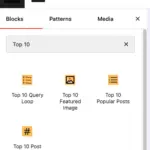 Blocks in Top 10
 Multilingual Support in Top 10