

The standalone Popular Authors plugin is retired. Version 1.5.0 was its final release, and it will receive no further updates, including security updates. Popular Authors is now built into Top 10 Pro.
Most of your setup carries over. The blocks were renamed and some developer hooks changed, so review the sections below before you remove the old plugin.
Switching to Top 10 Pro
- Install and activate Top 10 Pro. Activating it deactivates the free Top 10 plugin automatically. Your counts and settings stay in place.
- Confirm Popular Authors is enabled under Top 10 Settings – Features. It is enabled by default.
- Check your custom code and CSS against Hooks and CSS below.
- Deactivate the Popular Authors plugin. Top 10 Pro shows a notice while both are active. Until then, the shortcodes and dashboard widget are registered twice, and the old plugin’s template tags take precedence over Top 10 Pro’s.
- Convert the old blocks to the Top 10 Pro blocks, as described under Blocks below.
- Delete the Popular Authors plugin.
What carries over
- Settings. Popular Authors always stored its settings inside Top 10’s settings, using the same
wzpa_keys. They appear under Top 10 → Settings → Popular Authors. See Top 10 Settings – Popular Authors. - Classic widgets. The widget has the same ID, so existing Popular Authors widgets keep their settings and output.
- Shortcodes. [wzpa_popular_authors] and [wzpa_author_top_posts] still work. New content can use [tptn_popular_authors] and [tptn_author_top_posts]. See Popular Authors Shortcodes.
- Template tags.
wzpa_list_popular_authors(),wzpa_list_popular_authors_args(),wzpa_get_popular_author_ids(), andwzpa_display_top_posts_by_author()still work. See Popular Authors Template Tags, Hooks, and CSS. - Styles. The Card Layout and Left Thumbs styles are included.
What changes
Blocks
The blocks were renamed:
| Popular Authors plugin | Top 10 Pro |
|---|---|
popular-authors/popular-authors | top-10/popular-authors (Popular Authors) |
popular-authors/popular-posts | top-10/popular-posts-by-author (Popular Posts by Author) |
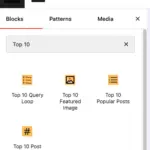
After you deactivate the old plugin, Top 10 Pro keeps rendering the old blocks on the front end. In the editor, each old block shows a notice with a Convert button that replaces it with the Top 10 Pro block and keeps its settings. You can also use the block toolbar’s Transform menu. Convert them in posts, pages, widget areas, and Site Editor templates and template parts so you can keep editing their settings. See Popular Authors Blocks and Widgets.
Default number of authors
If you never saved the Popular Authors settings, Number of authors to display now defaults to 10 instead of -1 (all authors). Saved settings are kept as they are.
Hooks and CSS
These filters still work: wzpa_authors_class, wzpa_get_styles, and wzpa_get_style.
These filters were removed, with no direct replacement unless noted:
| Removed filter | Replacement |
|---|---|
wzpa_dashboard_widget_args | tptn_popular_authors_dashboard_widget_args |
wzpa_list_popular_authors | tptn_popular_authors filters the final HTML. |
wzpa_get_popular_author_ids | None |
wzpa_query_prepare_values and the other wzpa_query_* filters | None |
wzpa_avatar_args, wzpa_get_avatar | None |
wzpa_widget_options, wzpa_widget_options_update | None |
wzpa_block_popular_authors_arguments, wzpa_block_popular_posts_arguments, wzpa_register_blocks | None |
wzpa_custom_template | None |
The HTML markup also changed. Update any custom CSS that targets the old classes:
- The author name link uses
.tptn_author_nameinstead of.wzpa_authorname. - The
.wzpa_authors_widget,.wzpa_authors_shortcode, and.wzpa_authors_blockclasses were removed. - The view and post counts are plain text in parentheses, such as
(1,024 / 12). The.wzpa_optioncountand.wzpa_postcountspans were removed. - The wrapper
<div>carriestptn_popular_authorsin addition towzpa_authors. The style classes arewzpa-cardandwzpa-left-thumbs.
Dashboard widget
The old dashboard widget is replaced by the Top Authors dashboard widget in Top 10 Pro.

 Trackers in Top 10 – WordPress Popular Posts plugin
 Blocks in Top 10
