

WebberZone Followed Posts includes a Gutenberg block that lets you insert the followed posts list at any position within a post or page using the block editor.
Adding the block
Open the block inserter (the + button), search for “Followed Posts”, and select the WebberZone Followed Posts block found in the Widgets category. The block renders a live preview in the editor when you have an existing post open. On new posts with no ID yet it shows a placeholder.
Block settings
All settings appear in the Followed Posts Settings panel in the block sidebar.
Show heading — Toggle to show or hide the heading above the list. When enabled, a Heading of posts text field appears where you can enter custom HTML for the heading. The block’s default heading is <h3>Followed Posts</h3>. This is independent of the global heading set under Output settings.
Number of posts — Maximum number of followed posts to display. Default: 6.
Show excerpt — Toggle to display the post excerpt below each title.
Show author — Toggle to display the post author below each title.
Show date — Toggle to display the published date below each title.
Styles — The built-in stylesheet to apply to the list. Options:
- No styles — No stylesheet loaded. Apply your own CSS.
- Text only — A clean text-only list without thumbnails.
- Grid Thumbnails — A responsive grid layout with thumbnails.
Thumbnail option — Where to place the post thumbnail relative to the title. Default: Before title. Options:
- Before title — Thumbnail displayed inline, before the title.
- After title — Thumbnail displayed inline, after the title.
- Only thumbnail — Thumbnails only, no text.
- Only text — No thumbnails.
Other attributes — A URL-style query string for any additional settings not exposed as individual controls. This field accepts the same parameters as the shortcode. For example:
Notes
- The block is server-side rendered. The output you see in the editor is a live preview fetched from the server and matches the front-end output.
- The block name registered in WordPress is
webberzone/followed-posts. - CSS class names added via the block’s Advanced > Additional CSS class(es) field are passed through to the wrapper
divas anextra_classattribute.
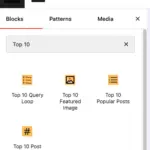 Blocks in Top 10
 Advanced Popular Posts block
 Contextual Related Posts Blocks