

Popular Authors ranks your site’s authors by the total views of their posts, using the counts tracked by Top 10 Pro. It replaces the retired standalone Popular Authors plugin.
The settings below set the global defaults. Open Top 10 → Settings and click the Popular Authors tab. The tab appears only when Popular Authors is enabled under Top 10 Settings – Features, which it is by default.
Every setting is stored in Top 10’s settings with a wzpa_ prefix. Values set on a block, widget, shortcode, or template tag override these defaults.
Number of authors to display
Maximum number of authors in the list. Enter -1 to display all authors. This can be slow on sites with many authors.
Default: 10
Default day range
Number of days counted when a list uses daily views instead of all-time views. A block or widget can set its own range. The [tptn_author_top_posts] shortcode always uses this value.
Default: 1
Default hour range
Number of hours added to the day range.
Default: 0 Range: 0–23
Show views
Display the total views of the author’s posts after their name.
Default: Disabled
Show post count
Display the number of published posts after the author’s name. When Show views is also enabled, both counts appear in parentheses as (views / posts).
Default: Disabled
Show full name
Display the author’s first and last name instead of their display name. Authors with no first or last name fall back to the display name.
Default: Disabled
Show avatar
Display the author’s avatar before their name.
Default: Disabled
Exclude the ‘admin’ account
Remove the user with the login admin from the list. This has no effect when a list specifies authors to include.
Default: Disabled
Post types to include
Post types whose views count toward an author’s total. Override this per list with the post_type attribute.
Default: post
Cache output
Cache the HTML of each popular authors list. The cache lifetime follows the Top 10 cache time setting and the tptn_cache_timeOpens in a new window filter.
Default: Enabled
Styles
Popular Authors style
Choose the built-in stylesheet loaded on the front end.
| Style | Description |
|---|---|
| No styles | Loads no stylesheet. Use this to add your own styles. |
| Card Layout | Displays the authors in a card layout using CSS grid. |
| Left Thumbs | Displays the authors in a grid with the avatar to the left of the name. |
Default: No styles
The stylesheet for this setting is the only one loaded on the page. A list that passes a different styles value gets that style’s CSS class but not its stylesheet. See Popular Authors Template Tags, Hooks, and CSS for the class names.
HTML to display
Before the list of posts
HTML placed before the list of authors.
Default: <ul>
After the list of posts
HTML placed after the list of authors.
Default: </ul>
Before each list item
HTML placed before each author.
Default: <li>
After each list item
HTML placed after each author.
Default: </li>

 Trackers in Top 10 – WordPress Popular Posts plugin
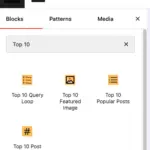 Blocks in Top 10
 Multilingual Support in Top 10