

Top 10 Pro provides PHP functions to display or query popular authors from a theme or plugin. They are defined only when Popular Authors is enabled under Top 10 Settings – Features, so wrap calls in function_exists().
Each tptn_ function has a wzpa_ alias kept for sites moving from the retired Popular Authors plugin. See Migrating from the Popular Authors Plugin.
PHP functions
tptn_list_popular_authors( $args )
Displays or returns the popular authors list.
Parameters:
$args(array, optional) — Display arguments. See Display arguments below. Omitted arguments use the values under Top 10 Settings – Popular Authors.
Returns: string|void — The HTML, unless echo is true. The default for echo is false.
Alias: wzpa_list_popular_authors( $args ), with the same parameters and return value.
wzpa_list_popular_authors_args( $args )
Returns the display arguments merged with the defaults from Top 10 Settings – Popular Authors. Kept for themes written for the retired plugin.
Parameters:
$args(array, optional) — Arguments that override the defaults.
Returns: array — The full set of display arguments.
tptn_get_popular_author_ids( $args )
Returns ranked author data without rendering any markup.
<?php
$authors = tptn_get_popular_author_ids(
    array(
        'number'      => 5,
        'daily'       => true,
        'daily_range' => 7,
    )
);

foreach ( $authors as $author ) {
    printf( "%d: %d views, %d postsn", $author->author_id, $author->visits, $author->post_count );
}
?>
Parameters:
$args(array, optional) — Acceptsnumber,offset,paged,daily,daily_range,hour_range,post_type,include,exclude, andexclude_adminfrom Display arguments below. Results always come from the current site.
Returns: array — Objects with author_id, visits, and post_count properties, sorted by visits in descending order.
Alias: wzpa_get_popular_author_ids( $args ).
tptn_display_top_posts_by_author( $author, $field, $args, $echo_value )
Displays or returns the most popular posts of one author, rendered by Top 10’s popular posts display.
<?php
tptn_display_top_posts_by_author( 42, 'id', array( 'limit' => 5 ) );
?>
Parameters:
$author(int|string) — The author to look up, matched against$field.$field(string, optional) — What$authorcontains:id,slug,email, orlogin. Defaultid.$args(array, optional) — Top 10 popular posts arguments, such aslimit,post_type,orderby,order,daily,daily_range,hour_range, anddisp_list_count.$echo_value(bool, optional) — Whether to print the output. Defaulttrue.
Returns: string|void — The HTML when $echo_value is false. An empty string when the author is not found or has no published posts.
Alias: wzpa_display_top_posts_by_author( $author, $field, $args, $echo_value ).
Display arguments
Accepted by tptn_list_popular_authors(), the [tptn_popular_authors] shortcode, and the Other attributes field of the Popular Authors block. Defaults shown are for a site with no saved Popular Authors settings.
| Key | Type | Description |
|---|---|---|
number | Integer | Maximum number of authors. -1 returns all authors. Default 10. |
offset | Integer | Number of authors to skip. Default 0. |
paged | Integer | Page of results, used when offset is 0. Default 1. |
daily | Boolean | Use views from a recent period instead of all-time views. Default false. |
daily_range | Integer | Days in the period. Default 1. |
hour_range | Integer | Hours added to the day range. Default 0. |
optioncount | Boolean | Display the total views. Default false. |
show_postcount | Boolean | Display the number of published posts. Default false. |
show_fullname | Boolean | Display the first and last name. Default false. |
show_avatar | Boolean | Display the avatar. Default false. |
exclude_admin | Boolean | Remove the user with the login admin. Default false. |
hide_empty | Boolean | Skip authors with no published posts. Default true. |
include | Array / String | Author IDs to list. Takes priority over exclude and exclude_admin. Default empty. |
exclude | Array / String | Author IDs to remove. Default empty. |
post_type | String | Comma-separated post types. Default post. |
styles | String | Style key: no_style, card, or left_thumbs. Default is the Popular Authors style setting. |
cache | Boolean | Cache the HTML. Default true. |
echo | Boolean | Print the output. Used by tptn_list_popular_authors() only. Default false. |
extra_class | String | Extra CSS classes for the wrapper <div>. Not available in the shortcode. |
before_list | String | HTML before the list. Default <ul>. |
after_list | String | HTML after the list. Default </ul>. |
before_list_item | String | HTML before each author. Default <li>. |
after_list_item | String | HTML after each author. Default </li>. |
Filter hooks
tptn_popular_authors
Filters the HTML of a popular authors list, including cached output. See tptn_popular_authorsOpens in a new window.
Parameters:
$output(string) — The list HTML.$args(array) — Display arguments.
wzpa_authors_class
Filters the classes on the wrapper <div>. See wzpa_authors_classOpens in a new window.
Parameters:
$post_classes(string) — Space-separated classes.$args(array) — Display arguments.
wzpa_get_styles
Filters the styles offered in the Popular Authors style setting. See wzpa_get_stylesOpens in a new window.
Parameters:
$styles(array) — Styles, each withid,name, anddescriptionkeys.
wzpa_get_style
Filters the stylesheet chosen for a style. See wzpa_get_styleOpens in a new window.
Parameters:
$style_array(array) —name(the stylesheet name, such ascard) andextra_css(CSS added inline).$wzpa_style(string) — The selected style key.
tptn_popular_authors_dashboard_widget_args
Filters the arguments of the Top Authors dashboard widget. See tptn_popular_authors_dashboard_widget_argsOpens in a new window.
add_filter(
    'tptn_popular_authors_dashboard_widget_args',
    function ( $args ) {
        $args['number'] = 5;
        $args['daily']  = true;
        return $args;
    }
);
Parameters:
$args(array) — Display arguments. Defaultnumberis10, withoptioncountandshow_avatarenabled.
tptn_popular_authors_max_execution_time
Filters the MySQL MAX_EXECUTION_TIME hint, in milliseconds, added to the popular authors query. Return 0 to remove the hint. See tptn_popular_authors_max_execution_timeOpens in a new window.
Parameters:
$max_execution_time(int) — Defaults to the Top 10 Max Execution Time setting.
tptn_cache_time
Popular Authors uses Top 10’s tptn_cache_timeOpens in a new window filter for the lifetime of its cached output.
CSS classes
The list is wrapped in a <div> with these classes:
| Class | When it is applied |
|---|---|
tptn_popular_authors | Always. |
wzpa_authors | Always. |
wzpa-card | The card style is selected. |
wzpa-left-thumbs | The left_thumbs style is selected. |
The block also adds any classes entered in its Additional CSS class(es) field.
Inside the list, each author’s name is a link with the class tptn_author_name. The avatar is the standard WordPress avatar <img>, 96 pixels in size. View and post counts follow the link as plain text in parentheses.
<div class="tptn_popular_authors wzpa_authors wzpa-card">
    <ul>
        <li><img class="avatar avatar-96 photo" …><a class="tptn_author_name" href="…">Jane Doe</a> (1,024 / 12)</li>
    </ul>
</div>
The Top Authors dashboard widget wraps the list in .tptn-popular-authors-dashboard.
CSS handles
The stylesheet for the Popular Authors style setting is enqueued on the front end with the handle wzpa-style-card or wzpa-style-left-thumbs. No styles enqueues nothing. The minified file is loaded unless SCRIPT_DEBUG is enabled.
 Trackers in Top 10 – WordPress Popular Posts plugin

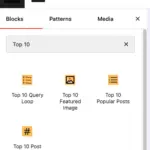 Blocks in Top 10
 Multilingual Support in Top 10