

The Features tab is the first tab on the Top 10 settings page. It lets you turn off individual features so their code does not load on your site. All features are enabled by default. A block that you disable renders as empty on the front end and shows an unavailable notice in the block editor.
Popular Posts and Post Count blocks
Registers the free Popular Posts and Post Count blocks for the block editor.
Popular posts feeds
Adds custom RSS feeds for overall and daily popular posts. The feed settings are on the Feed tab.
Legacy widgets
Registers the classic Popular Posts and Views Count widgets. Disable this if you use blocks instead of classic widgets.
Top 10 Popular Posts — Advanced block (Pro only)
Registers the Advanced Popular Posts block, its card blocks, and its six layout patterns. Enabled by default. See Advanced Popular Posts block.
Query block (Pro only)
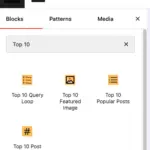
Registers the Top 10 Query block and the pre-built block patterns.
Featured Image block (Pro only)
Extends the core Featured Image block with Top 10 options.
Popular Posts Pro block (Pro only)
Registers the Popular Posts Pro block for the block editor.
Page builder integrations (Pro only)
Registers the Popular Posts (Top 10) elements for Elementor, Bricks Builder, and WPBakery Page Builder. See Page builder integrations.
Lazy-load module (Pro only)
Loads the lazy-loading module and its REST endpoint. Disable this to remove lazy-loading support, including per-shortcode and per-block lazy_load overrides. Requires REST API endpoints to be enabled.
Fast and High-traffic trackers (Pro only)
Adds the Fast tracker and High-traffic tracker options to the Tracker type setting. If you disable this while one of these trackers is in use, the tracker type resets to the default.
Site-wide tracking (Pro only)
Enables the site-wide tracking feature. With this on, turn on Track site-wide views under Counter/Tracker to count views of the front page, posts page, archives, and searches.
Daily table size reduction (Pro only)
Enables the Reduce Daily Table Size tool on the Tools screen and the wp top10 db rollup command, which combine older hourly records into one daily record per post.
Pro dashboard widgets (Pro only)
Adds the enhanced Top 10 Pro widgets to the WordPress dashboard.
Popular Authors (Pro only)
Enables the Popular Authors blocks, shortcodes, widgets, and settings bundled with Top 10 Pro. Disabling this registers empty stubs for the tptn_popular_authorsOpens in a new window, tptn_author_top_posts, wzpa_popular_authors, and wzpa_author_top_posts shortcodes so raw shortcode text does not appear in published content.
See Top 10 Settings – Popular Authors and Migrating from the Popular Authors Plugin.
Abilities API
Exposes popular posts and view counts to authenticated integrations on WordPress 6.9 or later. Top 10 Pro also exposes lifetime count editing and cache clearing. This setting is enabled by default and works independently of the Top 10 REST API endpoints. See Top 10 Abilities API.
REST API endpoints
Registers the top-10/v1 endpoints for popular posts, tracking, counters, blocks, and lazy loading. Keep this enabled if your tracker type is REST-based or if your integrations or blocks use these endpoints.

 Trackers in Top 10 – WordPress Popular Posts plugin
 Blocks in Top 10
 Multilingual Support in Top 10