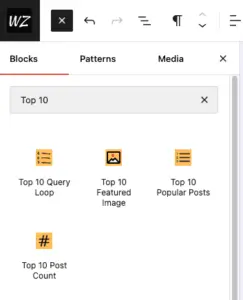
Top 10 and Top 10 Pro include multiple blocks that allow you to display the popular posts in the block editor or the site editor. The sections below explain each block and how to use it. Top 10 Pro brings an advanced Query Loop block, which allows you to display popular posts based on specified...

Top 10 Pro 4.6.0 adds Top 10 Popular Posts — Advanced. Use it to design a repeated post card with editable blocks and choose which posts appear by popularity, period, and filters. Add the block The block queries published, publicly viewable posts without passwords on the current site. Its editor preview requires REST API endpoints...
Top 10 Pro includes two Popular Authors blocks, a classic widget, and a dashboard widget. They require Popular Authors to be enabled under Top 10 Settings – Features. Any setting a block or widget does not specify falls back to the defaults under Top 10 Settings – Popular Authors. Both blocks are listed under Widgets...
Contextual Related Posts includes a Related Posts block that can replace the widget or shortcode. You can use it in posts, pages, custom post types, and block theme templates. Contextual Related Posts Pro adds two more choices: a Contextual Related Posts variation of the core Query Loop and a standalone Related Posts Advanced block. Both...
WebberZone Followed Posts offers five ways to display the followed posts list: automatic insertion into post content, the [[wfp]] shortcode, a Gutenberg block, a legacy widget, and PHP template functions. Automatic insertion By default the plugin appends the followed posts list to the content of posts and pages. You can control where the list is...
WebberZone Followed Posts includes a Gutenberg block that lets you insert the followed posts list at any position within a post or page using the block editor. Adding the block Open the block inserter (the + button), search for “Followed Posts”, and select the WebberZone Followed Posts block found in the Widgets category. The block...
WebberZone Snippetz provides three ways to embed a named snippet inline inside post or page content: a shortcode, a Gutenberg block, and an Insert Snippet button for the Classic Editor. All three require the Snippets Manager to be enabled (Snippetz → Settings → General → Enable Snippets Manager) and a published snippet to exist. [[ata_snippet]]...

