

Top 10 Pro includes two Popular Authors blocks, a classic widget, and a dashboard widget. They require Popular Authors to be enabled under Top 10 Settings – Features. Any setting a block or widget does not specify falls back to the defaults under Top 10 Settings – Popular Authors.
Both blocks are listed under Widgets in the block inserter. Both render on the server, so the editor preview matches the front end.
Popular Authors block
Block name: top-10/popular-authors. Displays your authors ranked by the total views of their posts. It works in posts, pages, and Site Editor templates.
| Setting | Type | Description |
|---|---|---|
| Number of authors | Range | Maximum number of authors to display, from -1 (all authors) to 100. Default 10. |
| Offset | Number | Number of authors to skip from the top of the list. Default 0. |
| Use daily views | Toggle | Rank authors by views in a recent period instead of all-time views. Default off. |
| Day range | Number | Days in the period. Shown when Use daily views is on. Default 1. |
| Hour range | Number | Hours added to the day range, from 0 to 23. Shown when Use daily views is on. Default 0. |
| Show views | Toggle | Display the author’s total views. Default off. |
| Show post count | Toggle | Display the author’s number of published posts. Default off. |
| Show full name | Toggle | Display the first and last name instead of the display name. Default off. |
| Show avatar | Toggle | Display the author’s avatar. Default off. |
| Exclude admin | Toggle | Remove the user with the login admin. Default off. |
| Hide authors with no posts | Toggle | Skip authors with no published posts. Default on. |
| Author IDs to include | Text | Comma-separated list of author IDs. When set, only these authors are listed and Author IDs to exclude is ignored. |
| Author IDs to exclude | Text | Comma-separated list of author IDs to remove. |
| Other attributes | Textarea | In the Advanced panel. Extra arguments as a URL-style query string, for example post_type=post,page&styles=card. These override the settings above. |
Other attributes accepts any argument listed under Display arguments, including post_type, styles, cache, and the HTML wrapper arguments.
Popular Posts by Author block
Block name: top-10/popular-posts-by-author. Displays the most popular posts of one author you select.
| Setting | Type | Description |
|---|---|---|
| Author | Combobox | Search for and select the author. The block shows a prompt until an author is selected. |
| Posts to display | Range | Number of posts, from 1 to 100. Default 10. |
| Post Types | Token field | One or more post types to include. Default post. |
| Order By | Dropdown | Visits, Date, or Title. Default Visits. |
| Order | Dropdown | Descending or Ascending. Default Descending. |
| Use daily views | Toggle | Rank posts by views in a recent period instead of all-time views. Default off. |
| Day range | Number | Days in the period. Shown when Use daily views is on. Default 1. |
| Hour range | Number | Hours added to the day range, from 0 to 23. Shown when Use daily views is on. Default 0. |
| Show views | Toggle | Display the view count after each post title. Default off. |
| Other attributes | Textarea | In the Advanced panel. Extra Top 10 list arguments as a URL-style query string. These override the settings above. |
The list is rendered by Top 10’s popular posts display and uses your Top 10 list and thumbnail settings. The HTML wrappers and caching come from the Popular Authors settings instead.
Blocks from the Popular Authors plugin
Top 10 Pro keeps rendering the popular-authors/popular-authors and popular-authors/popular-posts blocks added with the retired Popular Authors plugin. In the editor, each one shows a notice with a button that converts it to the matching block above, keeping its settings. These blocks are not in the inserter. See Migrating from the Popular Authors Plugin.
Popular Authors widget
The classic Popular Authors widget is available in Appearance → Widgets and the Customizer when your theme supports classic widgets. Widgets added with the retired Popular Authors plugin keep working after you switch to Top 10 Pro.
| Setting | Description |
|---|---|
| Title | Widget title. |
| Number of authors | Maximum number of authors. -1 displays all authors. |
| Offset | Number of authors to skip from the top of the list. |
| Time range | Overall for all-time views, or Custom time period for recent views. |
| Day range | Days in the custom time period. |
| Hour range | Hours added to the day range, from 0 to 23. |
| Show views | Display the author’s total views. |
| Show post count | Display the author’s number of published posts. |
| Exclude admin | Remove the user with the login admin. |
| Show full name | Display the first and last name instead of the display name. |
| Show avatar | Display the author’s avatar. |
Post types, style, caching, and the HTML wrappers come from Top 10 Settings – Popular Authors.
Top Authors dashboard widget
Top 10 Pro adds a Top Authors widget to the WordPress dashboard. It lists the ten most-viewed authors of all time, with their avatars and view counts, and links to the Popular Authors settings. Change its arguments with the tptn_popular_authors_dashboard_widget_argsOpens in a new window filter.
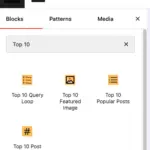 Blocks in Top 10
 Trackers in Top 10 – WordPress Popular Posts plugin
 Multilingual Support in Top 10