WebberZone Link Warnings settings are available at Settings → Link Warnings. The tabs are General, Display, Rules, and Advanced. Settings are stored in a single WordPress option: wzlw_settings. General tab Warning Method Controls how users are warned about external links. Value Label Behavior inline Inline indicators only Adds configured visual indicators and hidden text for...
The General options tab lets you configure the main options for Top 10 on your WordPress blog. Enable cache Top 10 includes an inbuilt caching system that uses the Transients API to cache the plugin’s complete output. The cache is built to complement other caching plugins and will work alongside them. Select this option to turn...
Efficient Content Storage & Indexing (ECSI) is an advanced data storage system for Contextual Related Posts Pro and Better Search Pro, significantly improving the quality of related posts and search results with enhanced performance. The post content is stored in custom database tables optimized for search and retrieval. This feature was first introduced in Contextual...
The Search tab of the Better Search settings page offers a collection of options that allow you to fine-tune how search results are generated, displayed, and filtered. Below is an explanation of each available setting. Search Configuration Number of Search Results per page Set the maximum number of search results displayed per page. Post types...
The Counter and Tracker options is the second tab in the Top 10 settings page and allows you to tweak the counter and tracker. Counter settings Display number of views on This option lets you select where you’d like to display the views of the current post. By default Posts and Pages are enabled. If you...
The Tools screen in Top 10 offers a set of buttons to help you maintain various features of the plugin. Database Status Displays the current state of all four Top 10 database tables along with the installed and expected database version numbers. Table Purpose wp_top_ten Running total of all-time views per post wp_top_ten_daily Hourly view...
The Features tab is the first tab on the Top 10 settings page. It lets you turn off individual features so their code does not load on your site. All features are enabled by default. A block that you disable renders as empty on the front end and shows an unavailable notice in the block...
Popular Authors ranks your site’s authors by the total views of their posts, using the counts tracked by Top 10 Pro. It replaces the retired standalone Popular Authors plugin. The settings below set the global defaults. Open Top 10 → Settings and click the Popular Authors tab. The tab appears only when Popular Authors is...
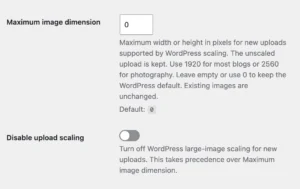
WebberZone Image Optimizer settings live at Media → Image Optimizer, across four tabs: General, Quality, Delivery and Advanced. General Formats to generate Choose WebP, AVIF or both. AVIF files are smaller than WebP but take longer to encode and are understood by slightly fewer browsers. Generating both lets each visitor receive the smallest file their...
All WebberZone Code Block Highlighting settings are available at Settings > Code Block Highlighting. Settings are stored in a single WordPress option: wzcbh_settings. Highlighting Mode Controls whether syntax highlighting runs in the browser or on the server. Setting key: highlighting-mode. Both modes use the same 21 Prism themes. Detect Language Server-side mode only. When enabled,...
This document describes all available settings for the AutoClose plugin. Access settings via Settings → AutoClose in your WordPress admin. Since v3.1.2, a search box on the settings screen filters options across all tabs as you type — start typing to jump straight to the setting you are looking for. General Activate scheduled closing Enable...
This document describes all available settings for the Knowledge Base plugin. Access settings via Knowledge Base → Settings in your WordPress admin. General Multi-Product Mode Enable Multi-Product Mode Enable this option to use a dedicated “Products” menu to organize your knowledge base articles and sections by product. This system allows you to assign each article...