
Better Search Pro CLI (BSP-CLI) was introduced in Better Search Pro v4.3.0, allowing you to manage search operations without touching the admin dashboard. If you’re running large-scale WordPress installations or automating deployments, these commands handle everything from cache warming to database maintenance. About WP-CLI WP-CLI is a set of command-line tools for managing WordPress installations....

Efficient Content Storage & Indexing (ECSI) is an advanced data storage system for Contextual Related Posts Pro and Better Search Pro, significantly improving the quality of related posts and search results with enhanced performance. The post content is stored in custom database tables optimized for search and retrieval. This feature was first introduced in Contextual...
Top 10 Pro 4.6.0 adds a Feed vs web tab to the Top 10 dashboard. Use it to compare views from RSS and Atom readers with other views and identify the posts most read through feeds. Enable feed tracking Turn on Track feed views in Counter and tracker options. It is disabled by default. Top...
Top 10 Pro 4.6.0 adds Top 10 Popular Posts — Advanced. Use it to design a repeated post card with editable blocks and choose which posts appear by popularity, period, and filters. Add the block The block queries published, publicly viewable posts without passwords on the current site. Its editor preview requires REST API endpoints...
Top 10 is free to use and packed with features right out of the box. The Pro upgrade adds high-performance tracking modes, advanced admin tools, block editor enhancements, and WP-CLI integration for those who need more control. Free vs Pro Feature Free Pro Core AJAX-based view tracking ✅ ✅ Daily and total view counts ✅...
Top 10 Pro v4.5.0 adds native “Popular Posts (Top 10)” elements for three popular page builders: WPBakery Page Builder, Elementor, and Bricks Builder. Each integration renders through the same Popular posts:Contextual Related PostsTop 10 – WordPress Popular Posts pluginBetter SearchHelp & SupportKnowledge BaseWordPress Plugins by WebberZoneTop 10 shortcodesContextual Related Posts shortcodeWordPress block development: Building multiple blocksWordPress...
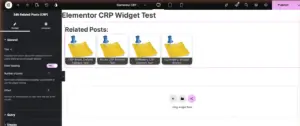
Contextual Related Posts Pro v4.4.0 adds native “Related Posts (CRP)” elements for three popular page builders: WPBakery Page Builder, Elementor, and Bricks Builder. Each integration is experimental — the underlying rendering is stable (it reuses the shortcode), but the builder-side controls are new and feedback is welcome while they settle in. WPBakery Page Builder If...
This reference covers the REST endpoint, the Abilities API ability, and the filters and actions behind Ask the Docs in Knowledge Base Pro. For setup and settings, see Ask the Docs: AI answers from your knowledge base. Ask the Docs needs WordPress 7.0 or later. On older versions none of these hooks, routes or abilities...
Ask the Docs in Knowledge Base Pro answers a visitor’s plain-language question from your published articles, with links to the articles it used. When your articles don’t cover the question, it says so, points to the search results and, optionally, logs the question so you can see where your documentation falls short. Ask the Docs...
Better Search Pro 4.5.0 exposes AI answers through POST /wp-json/bsearch/v1/ask and the better-search/ask WordPress ability. Both use the same retrieval, limits, cache, and answer validation. The module must be enabled and a compatible WordPress AI Client provider configured. REST request Send a JSON body with question, a plain-language question of 3–300 characters. The frontend may...
Better Search Pro 4.5.0 can answer a visitor’s question from your published posts. It finds relevant posts with Better Search, sends short excerpts to your AI provider, and shows a brief answer with source links. When your content has no answer, visitors get a link to the search results. AI answers are in beta and...
Knowledge Base registers WordPress Abilities API tools for AI agents and other integrations. The free plugin provides read-only article search and section discovery. Knowledge Base Pro adds draft article creation and the Ask the Docs ability. The Abilities API is built into WordPress 6.9 and later. Knowledge Base does not include a polyfill. All Knowledge...

