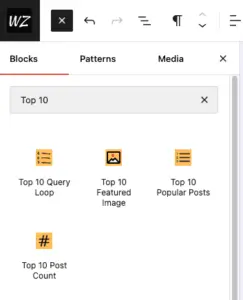
Top 10 and Top 10 Pro include multiple blocks that allow you to display the popular posts in the block editor or the site editor. The sections below explain each block and how to use it. Top 10 Pro brings an advanced Query Loop block, which allows you to display popular posts based on specified...

WebberZone Followed Posts includes a Gutenberg block that lets you insert the followed posts list at any position within a post or page using the block editor. Adding the block Open the block inserter (the + button), search for “Followed Posts”, and select the WebberZone Followed Posts block found in the Widgets category. The block...

