
The full developer reference for WebberZone Image Optimizer lives at webberzone.dev, a site generated directly from the plugin source. It documents every action and filter hook, every function, and every class and public method in the plugin, with parameters, return types and @since versions. The site is regenerated from each release. The reference site Conventions...
The AVIF encoder effort setting is a 0 to 6 dial that belongs to the plugin, not to any encoder. Each driver translates it into its own backend’s native speed scale. The measurements behind that translation are recorded below, so the numbers do not have to be re-derived. The mapping Both built-in drivers use the...
WebberZone Image Optimizer registers WP-CLI commands under wp wzio, useful for converting a library from a script, cron job, or deployment step without opening the admin screens. wp wzio status Shows which drivers and formats this server can encode, the currently configured formats, and how much of the library is converted. It also reports original...
From version 1.3.0, WebberZone Image Optimizer registers six abilities with the WordPress Abilities API. An AI assistant or any other client that can call abilities can use them to check progress, run Bulk Optimize, optimize a single image and change settings, without anyone opening the admin screens. The Bulk Optimize screen doesn’t need to stay...
Developer reference for WebberZone Code Block Highlighting. PHP wrapper functions wzcbh_get_settings() Returns all plugin settings merged with defaults. Returns: array wzcbh_get_option( $key, $default_value ) Returns the value of a single setting key, or the default value if the key does not exist. Parameters: Returns: mixed wzcbh_update_option( $key, $value ) Updates a single setting key in...
This reference covers the PHP functions, filter hooks, and action hooks exposed by WebberZone Snippetz for use in themes and plugins. All functions are in the WebberZone\Snippetz\Snippets\Functions class. All hook names are prefixed ata_. PHP functions Functions::get_snippet_content( $snippet, $args ) Returns the rendered output for a snippet. Parameters: Returns: string: Rendered snippet output, or an...
Use the following PHP functions, hooks, and frontend integration points for WebberZone Link Warnings. All hooks use the wzlw prefix. PHP wrapper functions These global functions are defined in includes/options-api.php and are available after the plugin loads. The plugin instance accessor has its own namespace, as shown below. wzlw_get_settings() Returns the saved settings array after...
The redirect screen in WebberZone Link Warnings supports theme template overrides and CSS customization. Clicking a processed link opens an interstitial page when the warning method is Redirect screen or Inline indicators + Redirect screen, or when a Link Rule applies a redirect action. This page shows the destination URL and a message. It shows...
Top 10 Pro provides PHP functions to display or query popular authors from a theme or plugin. They are defined only when Popular Authors is enabled under Top 10 Settings: Features, so wrap calls in function_exists(). Each tptn_ function has a wzpa_ alias kept for sites moving from the retired Popular Authors plugin. See Migrating...
Knowledge Base registers WordPress Abilities API tools for AI agents and other integrations. The free plugin provides read-only article search and section discovery. Knowledge Base Pro adds draft article creation and the Ask the Docs ability. The Abilities API is built into WordPress 6.9 and later. Knowledge Base does not include a polyfill. All Knowledge...
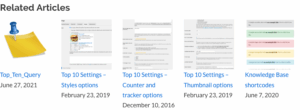
The Knowledge Base plugin ships with a first-party Related Articles engine that can surface contextual links below each article, power the Related Articles block, and feed the Help Widget. This document now starts with a non-technical explainer before diving into the developer reference. Part A: User-Friendly Overview What Related Articles Do Turning the Feature On...
Better Search can highlight the terms a visitor searched for, both on the search results page and on the post or page they click through to. This makes it easy for visitors to spot why a result matched their query. How it works Highlighting has two settings on the Output tab of the Better Search...

