

The Styles section in Top 10 lets you choose the appearance of the popular posts list.

Popular posts style
Choose between the following styles in which the popular posts are displayed in the frontend.
No styles
Select this option if you don’t want the plugin to add any styles but respect the display of the thumbnails. You will need to add your own styles in this case
Text only
This forces the display of the posts to be text only. i.e. no thumbnails
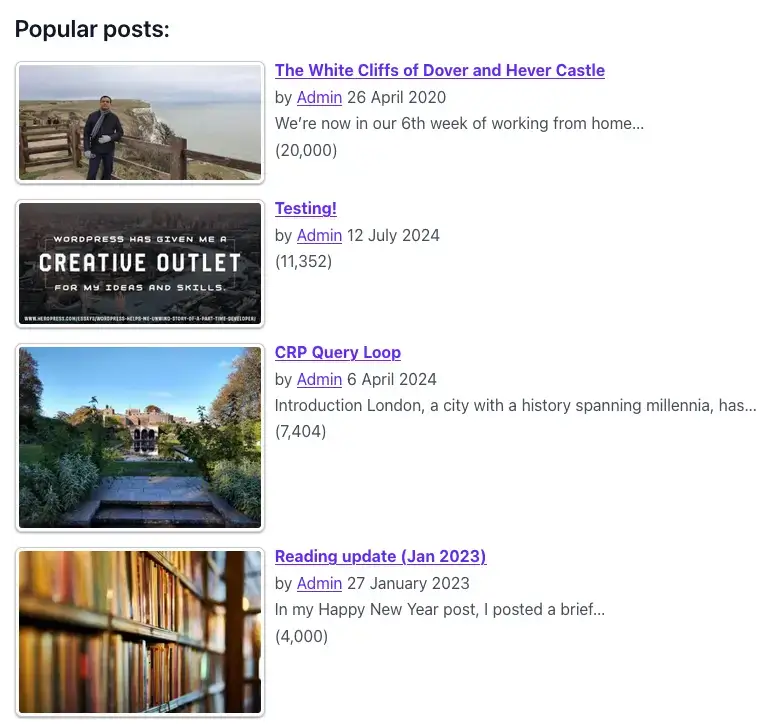
Left thumbnails
This places the thumbnail before the title and excerpt, as shown below. The default selection is No styles.
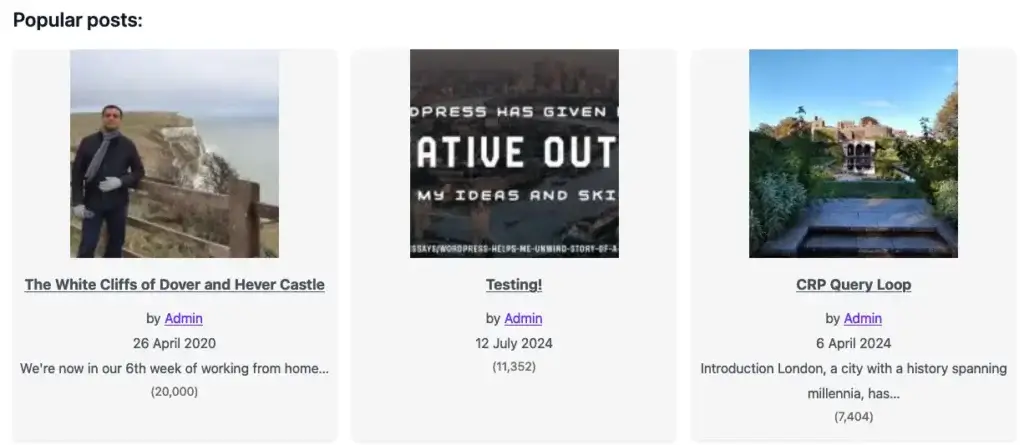
Grid (Pro only)
Available in Top 10 Pro, this displays the thumbnails in a grid.
Custom CSS
You can add your own CSS here to style the output. Do not include style tags. The plugin will not fix your CSS code, so please ensure you included accurate code only. Backslashes, such as those in icon font codes, are kept on save and on the front end (fixed in 4.7.0).


 Import view counts from WordPress Popular Posts
 Better Search Settings: Search
 Top 10 shortcodes