

Top 10 Pro registers two Popular Authors shortcodes: one lists your most popular authors and one lists the most popular posts of a single author. They require Popular Authors to be enabled under Top 10 Settings – Features. When it is disabled, the shortcodes output nothing instead of showing raw shortcode text.
The wzpa_ shortcodes from the retired Popular Authors plugin still work. [wzpa_popular_authors] accepts the same attributes as [tptn_popular_authors], and [wzpa_author_top_posts] accepts the same attributes as [tptn_author_top_posts].
[tptn_popular_authors]
Displays your authors ranked by the total views of their posts.
All attributes are optional. Attributes you omit use the values under Top 10 Settings – Popular Authors. For boolean attributes, use 1 or 0. Any non-empty value other than 0, including false, turns the option on, except for daily.
| Parameter | Type | Description |
|---|---|---|
number | Integer | Maximum number of authors. -1 displays all authors. Default 10. |
offset | Integer | Number of authors to skip from the top of the list. Default 0. |
paged | Integer | Page of results to display when offset is 0. Default 1. |
daily | Boolean | Rank by views in a recent period instead of all-time views. Accepts 1, true, yes, or on. Default false. |
daily_range | Integer | Days in the period when daily is on. Default 1. |
hour_range | Integer | Hours added to the day range. Default 0. |
optioncount | Boolean | Display the author’s total views. Default 0. |
show_postcount | Boolean | Display the author’s number of published posts. Default 0. |
show_fullname | Boolean | Display the first and last name instead of the display name. Default 0. |
show_avatar | Boolean | Display the author’s avatar. Default 0. |
exclude_admin | Boolean | Remove the user with the login admin. Default 0. |
hide_empty | Boolean | Skip authors with no published posts. Default 1. |
include | String | Comma-separated author IDs. When set, only these authors are listed and exclude is ignored. |
exclude | String | Comma-separated author IDs to remove. |
post_type | String | Comma-separated post types whose views count toward the total. Default post. |
styles | String | Adds the CSS class for a style: card or left_thumbs. The stylesheet itself loads only for the style selected in the settings. |
cache | Boolean | Cache the output. Default 1. |
before_list | String | HTML before the list. Default <ul>. |
after_list | String | HTML after the list. Default </ul>. |
before_list_item | String | HTML before each author. Default <li>. |
after_list_item | String | HTML after each author. Default </li>. |
To display the top authors of the last seven days with their post counts:
[tptn_author_top_posts]
Displays the most popular posts of one author.
The author attribute is required. Without it, the shortcode outputs nothing.
| Parameter | Type | Description |
|---|---|---|
author | Integer / String | The author to look up, matched against field. |
field | String | What author contains: id, slug (the user nicename), email, or login. Default id. |
posts_per_page | Integer | Number of posts. Default 10. |
post_type | String | Comma-separated post types. Default post. |
orderby | String | visits, date, or title. Default visits. |
order | String | DESC or ASC. Default DESC. |
daily | Boolean | Rank by views in a recent period instead of all-time views. The period comes from Default day range and Default hour range in the settings. Default false. |
disp_list_count | Boolean | Display the view count after each post title. Default 1. |
To display an author’s top posts by username:
 Trackers in Top 10 – WordPress Popular Posts plugin
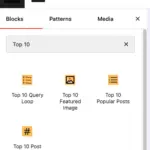 Blocks in Top 10
 Multilingual Support in Top 10