

Code Block Highlighting v1.4: Dark mode, diff highlighting, Kujo and more
A code theme that looks right on a light page rarely looks right in dark mode. Until now, WebberZone Code Block Highlighting applied one color scheme to the whole site, so a site with a dark mode switch had to pick which look the code blocks would clash with.
Version 1.4 fixes that with a second color scheme for dark mode. It also adds diff highlighting and Kujo language support, and keeps very large code blocks highlighted in server-side mode.
A color scheme for dark mode
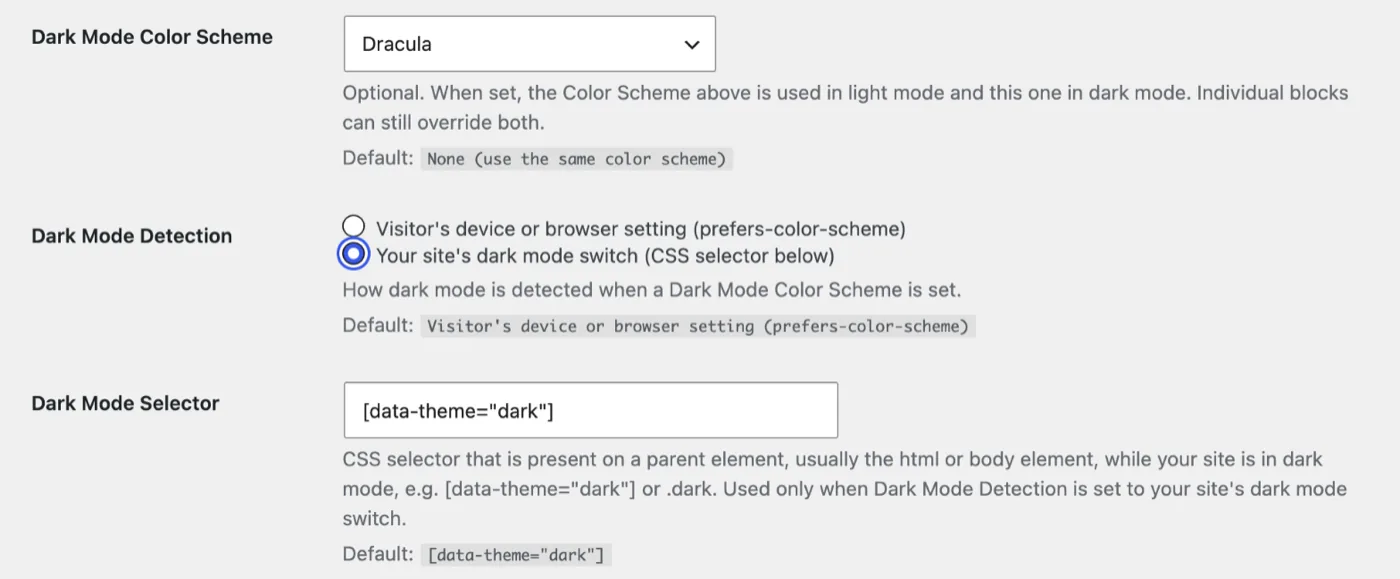
Under Settings → Code Block Highlighting, Color Scheme is now your light mode theme and the new Dark Mode Color Scheme sits below it. Leave it on None and nothing changes.
Dark Mode Detection decides when the dark scheme applies. The Visitor’s device or browser setting is the default and follows prefers-color-scheme. Your site’s dark mode switch applies it while the Dark Mode Selector matches a parent of the code block, which suits themes that add a class or attribute to html or body in dark mode. The default selector is [data-theme="dark"].
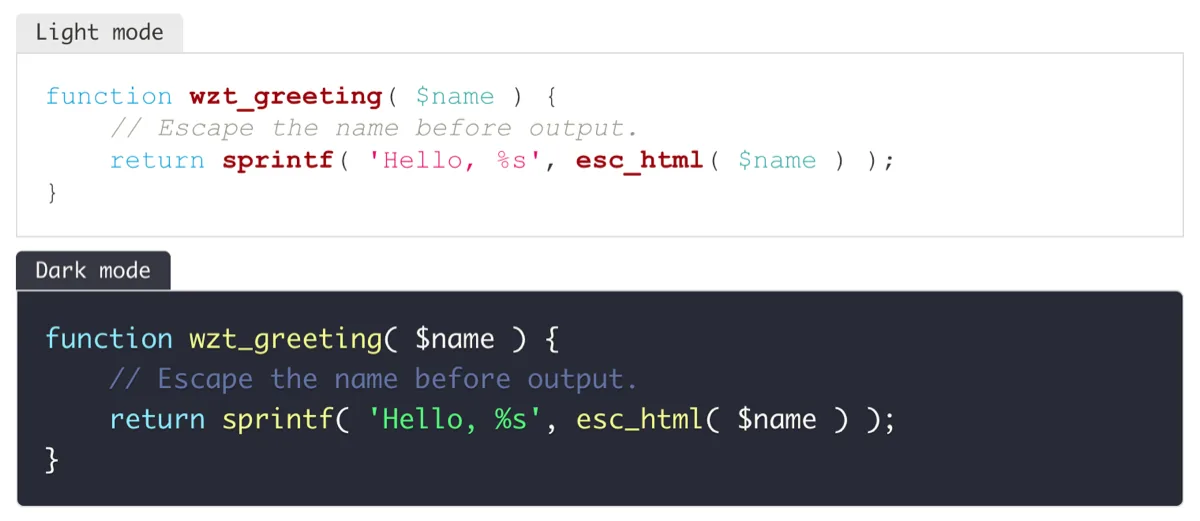
I kept per-block schemes in charge: each block has its own color scheme, so it stays consistent in both modes. Developers can also set the selector with the wzcbh_dark_mode_selector filter.
Diff highlighting
The new Show as diff toggle in the Syntax Highlighting panel colors lines that start with + as added and lines that start with - as removed, while still highlighting the code in the block’s language. A PHP block shown as a diff is labeled “PHP diff”.
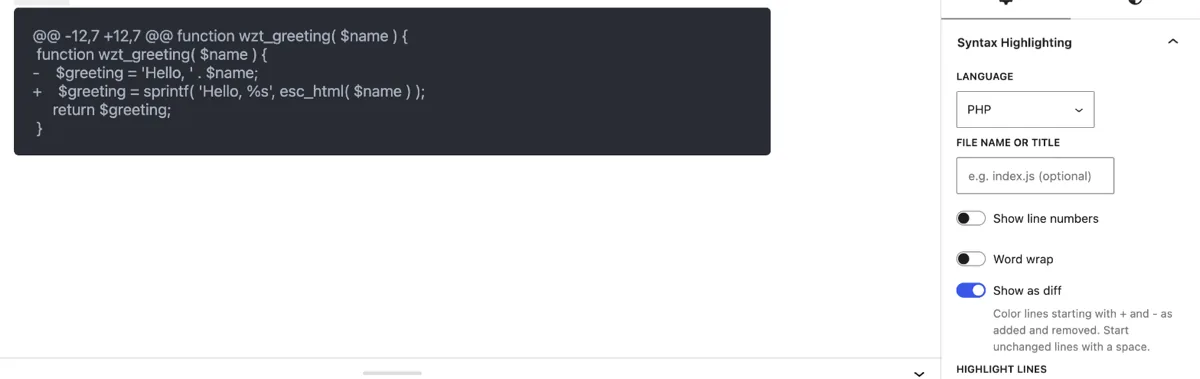
Start unchanged lines with a space, as a unified diff does. Lines without a prefix are left alone, as are file headers and @@ lines.
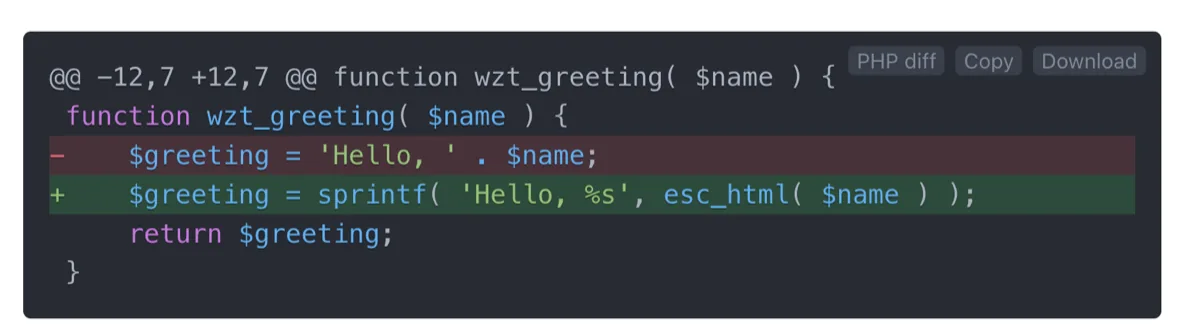
Diff is also in the language list for pasting a whole patch, and diff snippets download with a .diff extension. The toggle belongs to one snippet, so Save as default does not include it. It works the same in client-side and server-side mode.
Kujo
The language picker now includes Kujo. Prism.js and highlight.php do not, so the plugin ships its own grammar for each mode, written from the Kujo repositoryOpens in a new window. It colors keywords, strings, numbers, comments, function names, operators and punctuation, and Kujo snippets download as .kujo files.
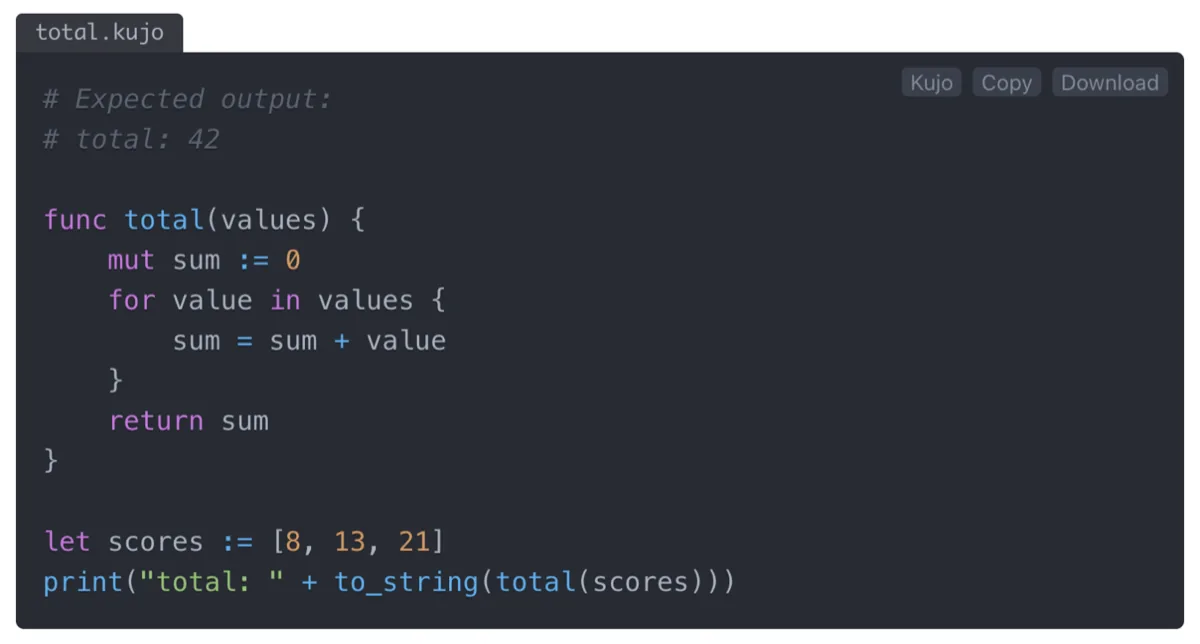
Large blocks stay highlighted in server-side mode
Server-side mode caps how much code highlight.php processes, and before this release a block over the cap showed as plain text. Now it is highlighted in the browser instead, and Prism.js loads only on pages that contain such a block.
By default, the server highlights blocks up to 128KB and 256KB per page. The browser fallback takes blocks up to 512KB and 1MB per page, and anything beyond that stays plain text. Feeds, the REST API, AJAX and WP-CLI keep plain text above the cap, because nothing there can run Prism.js. Every limit has a filter, listed on webberzone.dev, and returning false from wzcbh_server_prism_fallback brings back plain text.
Detect Language gets a limit too. A page request now runs at most 25 uncached detections, so a page with many untagged blocks stays fast. wzcbh_auto_detect_request_limit changes it.
Fixes
A large start line number crashed server-side rendering. A start line near the largest possible integer, on a block with line numbers, caused a fatal error. Start lines are now limited to 1,000,000.
One malformed lang attribute could stop highlighting on the whole page. Code saved by the older Code Syntax Block plugin uses lang, and a value containing whitespace made the browser script throw before Prism.js ran. The value is now cleaned first.
Crafted markup could add attributes to a code block. A user who can post unfiltered HTML could save markup in which part of an attribute value became a new attribute, such as an event handler. The plugin now reads pre and code tags the way the HTML standard does and removes event handler attributes. The same hardening covers a closing code tag inside an HTML comment in server-side mode and malformed markup in Convert Code Blocks.
Other fixes in this release:
- Typed entities such as
<showed as<in server-side blocks that were not highlighted. - Download file names kept executable extensions such as
.exe. - Code containing the text
language-textwas changed in Plain Text blocks. - Draft, private and password-protected synced patterns loaded the plugin’s assets on pages that did not need them.
- Backslashes were stripped from saved settings, and an array sent to a single-value setting could cause a PHP warning.
Upgrading
Version 1.4 needs WordPress 6.6 and PHP 7.4, as 1.3 did. No action is needed: dark mode stays off until you pick a Dark Mode Color Scheme, and Show as diff is off on existing blocks. If you use server-side mode, large blocks that were plain text will now be highlighted in the browser.
If your site has a dark mode switch, start with the Dark Mode Selector. The settings reference covers each option and Per-Block Controls covers the diff toggle.