

Knowledge Base v3: Multi-Product Structure and the Introduction of Pro
A decade ago, I launched my Knowledge Base WordPress plugin because nothing available fit my needs. It has powered WebberZone documentation since then. After months of quiet work, I’m excited to release Knowledge Base v3.
Knowledge Base has a relatively small user base, but the same pattern kept showing up: once documentation moved beyond a single product, the existing flat structure started to feel less intuitive.
Version 3 tackles this by introducing key features: native support for multi-product documentation and seamless scaling without requiring sites to start over.
In addition to these changes, this release launches Knowledge Base Pro. This new edition, built on v3, brings advanced capabilities for sites seeking additional control and functionality.

Multi‑product documentation with the Products taxonomy
The most significant new feature in Knowledge Base v3 is the Products taxonomy (wzkb_product), designed to support documentation for multiple products, plugins, or services. This option replaces a flat hierarchy with a clearer product-based organization.
Organize documentation by product while keeping your section structure intact. Each product gets its own entry point.
To support this, v3 includes:
- Product‑aware frontend templates that preserve section hierarchy
- Admin UI improvements for managing products and sections together
- A migration wizard to map existing sections and articles into products
The migration wizard is deliberately cautious. The migration wizard includes a dry-run mode to preview changes and batch processing for safe, large migrations.
The result is a multi‑product structure you can adopt gradually, rather than a forced reorganization.
Additionally, you can now use the Product widget or block to easily display relevant sections for a specific product, highlighting the new feature’s flexibility.
Introducing Knowledge Base Pro
Version 3 serves as the base for Knowledge Base Pro, a premium edition offering advanced features built for more complex needs: improved control options, improved scalability, detailed feedback tools, and additional customization settings.
I’ve kept Pro focused on areas that tend to matter once a knowledge base grows or when you want more: Custom URLs, a User feedback module, and a handy Help Widget.
Knowledge Base Pro includes:
- Custom permalinks for Products, Sections, Tags, and Articles
- Knowledge Base Homepage Mode, allowing the Knowledge Base to be displayed on your site homepage while redirecting the archive URL
- Article Rating System, with:
- Binary or 5‑star voting
- Follow‑up feedback for lowly rated articles
- Multiple tracking methods (none, cookie, IP, cookie + IP, logged‑in users)
- Shortcode support and Tools page controls
- Hashed IP storage for GDPR considerations
- Email alerts, per‑article reset tools, and feedback storage
- Privacy exporter and eraser integration
- Bayesian average sorting
- Floating Help Widget with search, suggested articles, configurable labels and colors, and a contact form
- Premium layout pack with additional frontend styles:
- Card
- Minimal
- Boxed
- Gradient
- Compact
- Magazine
- Professional
- Cache and maintenance tools in the Settings screen, including:
- Clear Cache button
- Configurable cache expiry
- Flush permalinks button
New features for all users
Guided setup and predictable configuration
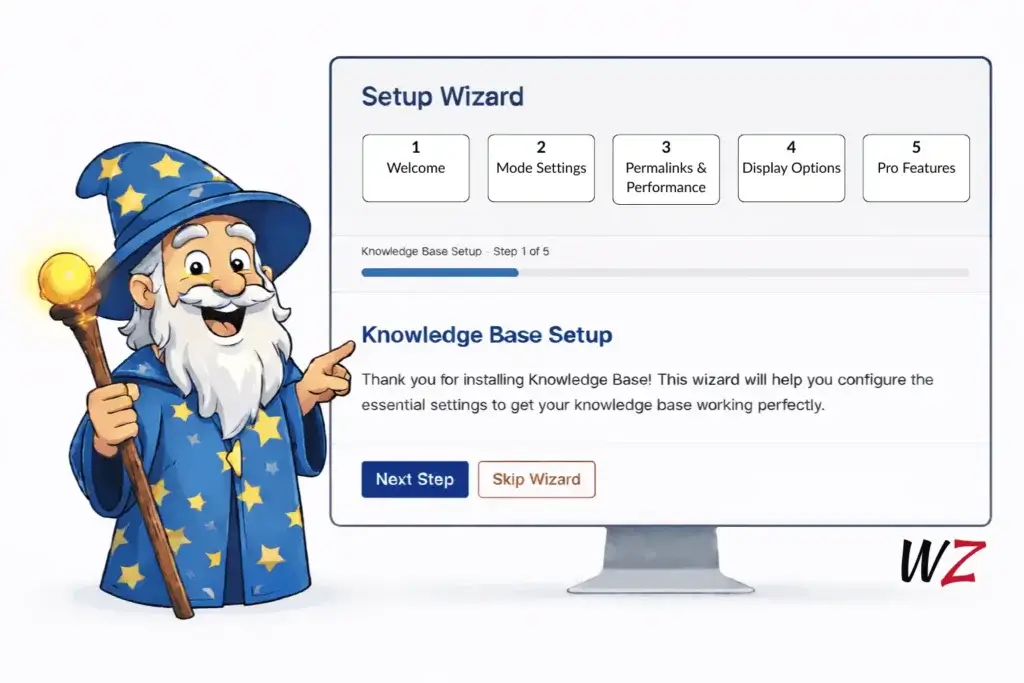
As the plugin has grown more capable, configuration has naturally grown with it. To make that easier to manage, Knowledge Base v3 includes a Setup Wizard that walks you through the most important initial settings.
The aim here is simple: reduce the kinds of misconfiguration that only surface later, e.g., unexpected archive behavior or template mismatches. The wizard establishes a sensible baseline and you can revisit it whenever you need to double-check your setup.
Block templates and Full Site Editing support
I have modernized layouts in this release, with support for both classic themes and the Full Site Editor.
Knowledge Base v3 includes:
- Custom block templates for Knowledge Base layouts
- Pre‑designed block patterns for:
- single articles
- archives
- sections
- products
- sidebar layouts
- A sidebar pattern that combines search, sections, products, and recent articles
These templates and patterns are optional. You can adopt them gradually, mix them with existing templates, or ignore them entirely if your present setup already works. Consider trying a new template today to see how it improves your site.
Auto Table of Contents
Long Knowledge Base articles are hard to navigate without a contents list, and adding one manually to every article isn’t sustainable. The Auto-generated Table of Contents solves this by scanning each article’s headings (H2 through H6), injecting anchor IDs, and rendering a nested linked TOC automatically above the content.
You control how deep it goes (stop at H3 if sub-sections aren’t worth listing) and set a minimum heading count so short articles don’t get a TOC they don’t need. WPML and Polylang users can translate the title text per language. The wzkb_toc filter gives you full control over the generated HTML if the default structure doesn’t fit your theme.
Knowledge Base Pro gives you more control. You can use the TOC widget, TOC block wherever you need to display the table of contents e.g. the sidebar. Optionally, you can display a floating widget that stays visible as readers scroll. See it live in my knowledge base.
Live Search
The Live Search feature upgrades the built-in Knowledge Base search form with AJAX-powered suggestions. As a visitor types, matching articles appear instantly below the field, with no page reload required. This uses the same accessibility friendly code that powers Better Search‘s live search. If you’re already running Better search, only enable one of these.
Keyboard navigation is fully supported, so users can arrow through results and select without touching the mouse.
Screen reader support is built in, making it accessible out of the box. It’s the kind of search experience users expect from a modern documentation site, and it works without any additional configuration.
Breaking changes
Knowledge Base v3 includes a breaking change for sites that use custom CSS targeting older class names.
CSS classes have been standardized, for example:
wzkb_section→wzkb-sectionwzkb_section_wrapper→wzkb-section-wrapperwzkb_section_name→wzkb-section-namewzkb_section_count→wzkb-section-countwzkb_shortcode→wzkb-shortcodewzkb_block→wzkb-block
If you have custom CSS using underscore‑based selectors, you will need to update them after upgrading.
Upgrade notes
If you use custom CSS, search for wzkb_ selectors and update them to the new hyphenated versions.
If you plan to adopt multi‑product documentation on an existing site, run the migration wizard in dry‑run mode first to confirm the mapping matches your expectations.
Validate key frontend templates (product, section, article, archive) on desktop and mobile.
If you use block templates or patterns, confirm the intended template hierarchy is being applied.